See Your Finances More Clearly
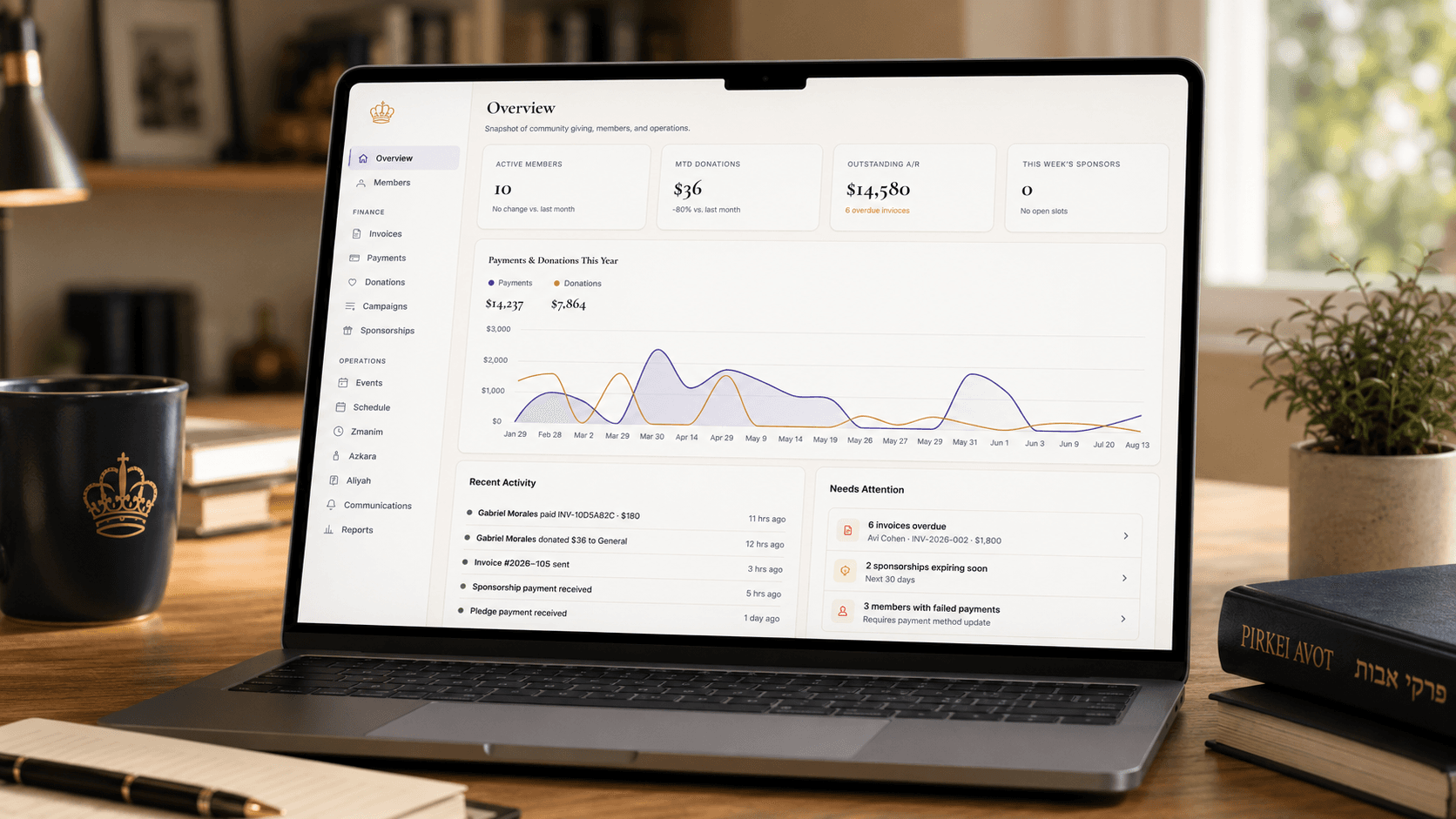
Most shul treasurers can tell you roughly how things are going financially. Fewer can tell you, in under a minute, exactly who paid what, when, and by what method — without opening a spreadsheet and scrolling. GabbaiPro's updated overview and payment charts, plus a reworked Payments screen, close that gap.
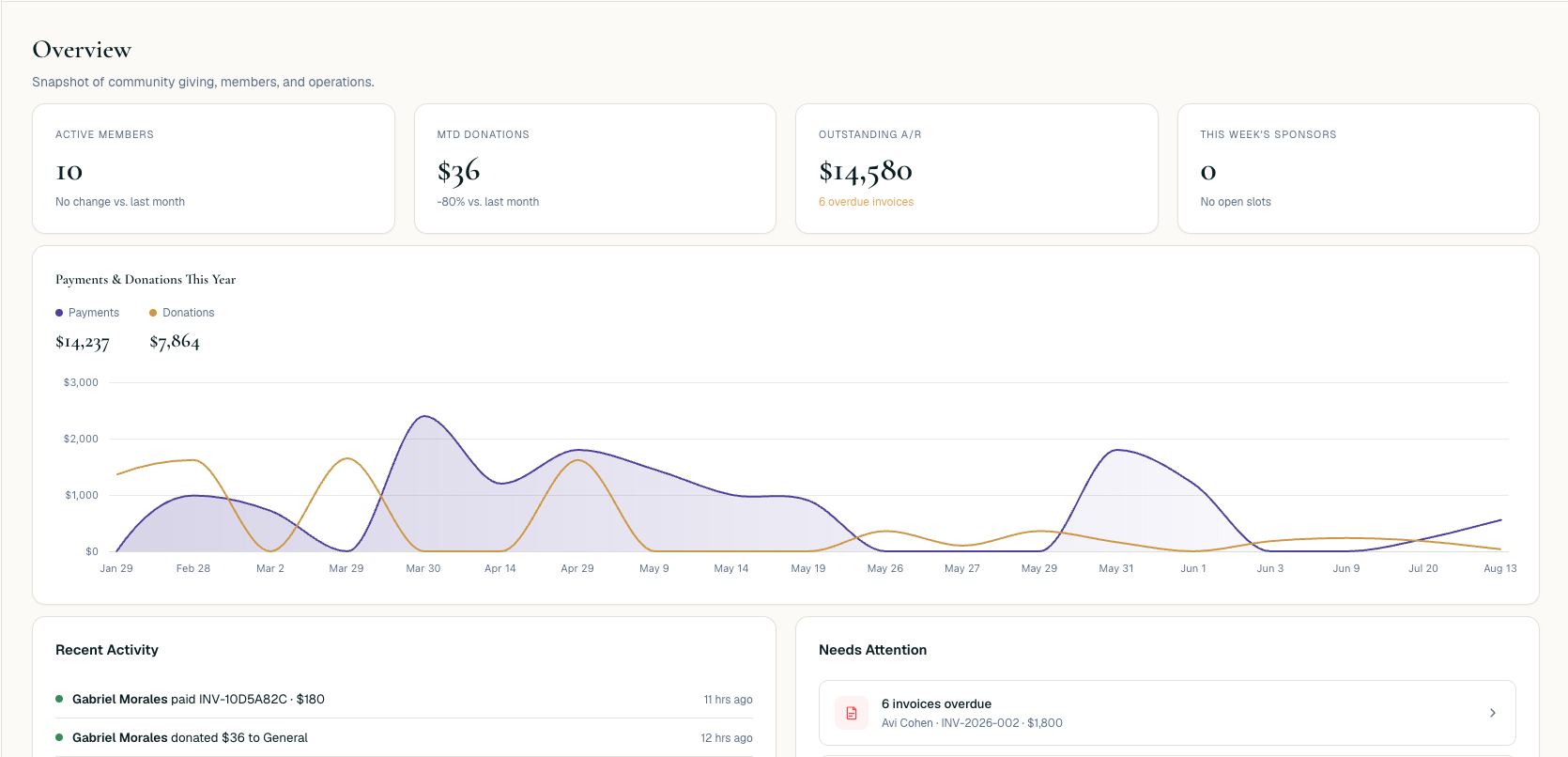
Clearer charts on the overview
The shul overview screen now surfaces updated financial charts that make activity legible at a glance — trends in incoming payments and giving patterns, without needing to cross-reference multiple reports to understand what's happening.
The Payments screen, rebuilt for actually finding things
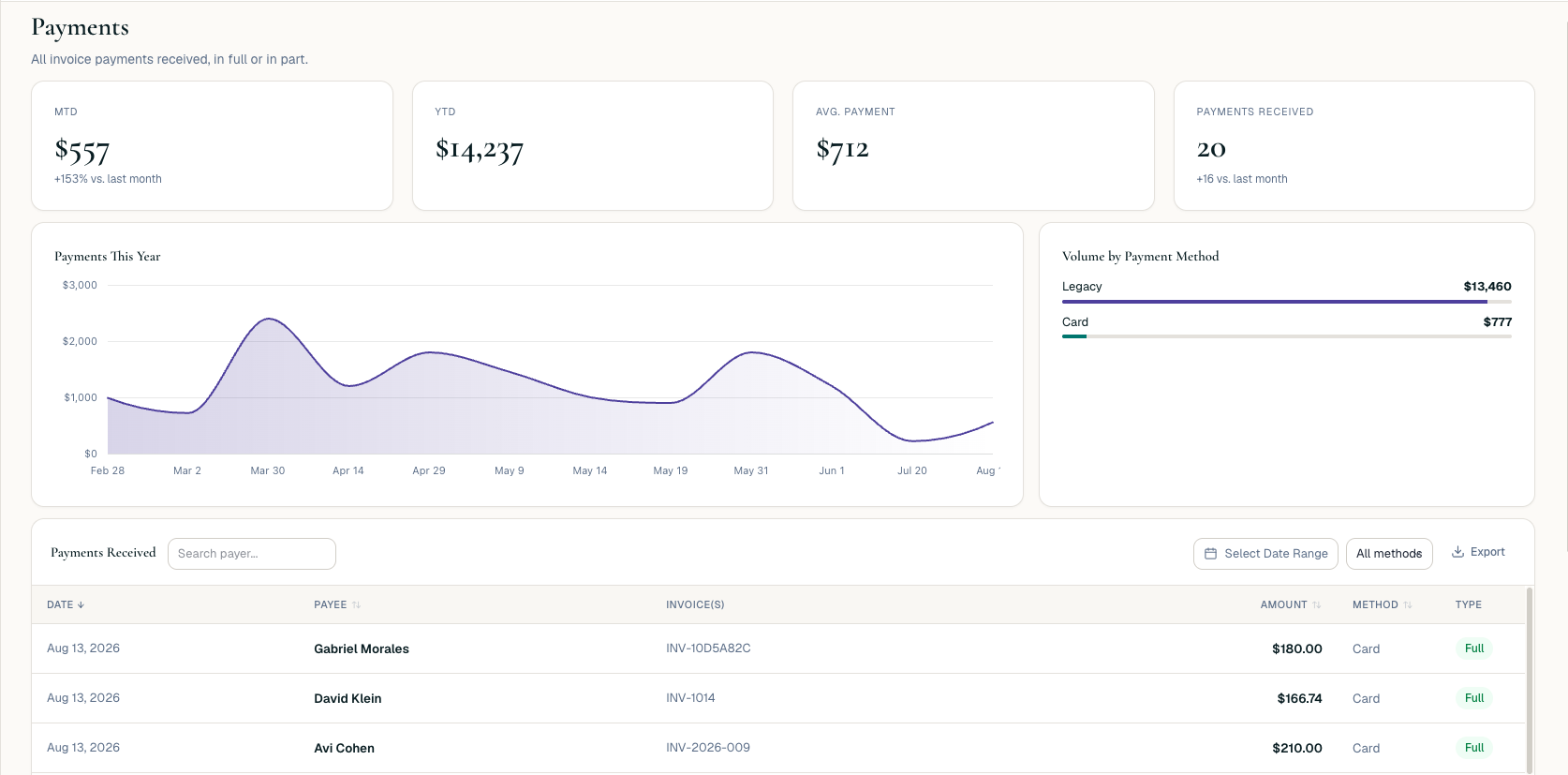
The bigger change is on the Payments screen itself. You can now:
- Search for a payer directly, instead of scrolling a full history looking for a name.
- Filter by time period or payment method — narrow a full year of payments down to, say, card payments from the last quarter.
- Sort results by the columns that matter to you.
- Move through large payment histories without losing your place — pagination that holds your position instead of resetting you to page one.
Why this matters for a shul specifically
Most of the "where did this payment go" questions that land on a treasurer's desk are really just search problems — a specific member asking about a specific payment from a few months back. Before, answering that meant scrolling a long list hoping to spot it. Now it's a name in a search box and a filter or two.
It also matters at year-end and board-meeting time, when the question isn't about one payment but a pattern — how did card payments trend this quarter, how does giving compare period over period. The updated charts answer that without exporting anything to a separate tool first.
Bottom line
If you've ever scrolled a long payment history looking for one name, or squinted at a chart trying to understand a trend, this is built for exactly that. Fewer minutes spent hunting, more time spent knowing.